Lesson 51 of 63
Journey E, part 7: The compliance officer invites the external auditor to this audit only
What you will be able to do
The company's external auditor wants to see how the internal review was done. He should see this one audit and its evidence, and nothing else in the company. In this part the compliance officer invites him to the audit for a limited number of days and takes the invitation as a link, because e-mail is switched off, to send to him herself.
Before you start
- Part 6 is done: answers are accepted and the finding is raised.
- You are signed in as the compliance officer.
- You have the auditor's name and e-mail address.
Steps
- 1
Find the audit in the Audit Hub
Open the Audit Hub. The audit is listed with its type, period, status and readiness. At the end of its row are two small buttons: the first invites an external auditor, the second cancels the audit.
- 2
Select Invite an external auditor
Select the first button, Invite an external auditor. The window explains what the auditor will get: read-only access to this audit and the evidence shared with it, and nothing else in the company. The access ends by itself on the expiry date and can be revoked at any time.
- Select Invite an external auditor
- 3
Enter the auditor's name and e-mail address
Type the auditor's name and his e-mail address. The address identifies him in the list and in the audit log.
- Type Auditor's name:
Graham Whitlock - Type Auditor's e-mail:
graham.whitlock@harbourgate.example.com
- Type Auditor's name:
- 4
Set how long the access lasts
In Access lasts, type the number of days, here 14. The line underneath gives the longest period allowed for this company; an administrator sets that limit in the box at the bottom of this window.
- Type Access lasts (days):
14
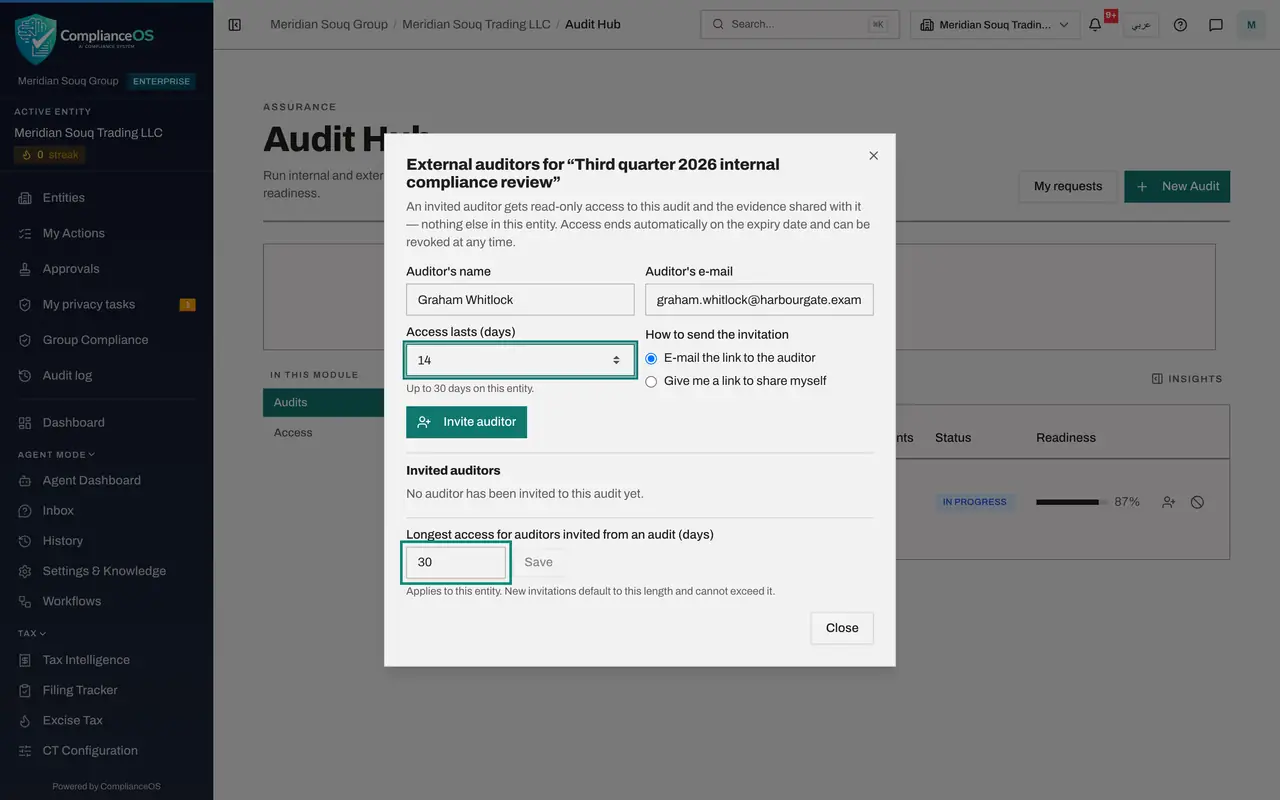
- Type Access lasts (days):
- 5
Choose to share the link yourself
Under How to send the invitation, choose Give me a link to share myself. E-mail is switched off on this system, so the other choice would not reach him.
- Select Give me a link to share myself
- 6
Select Invite auditor and copy the link
Select Invite auditor. The invitation link appears, with a warning that it is shown only once and that anyone holding it can read this audit until the expiry date. Select Copy link and send it to the auditor by a secure route.
- Select Invite auditor
- Select Copy link
- 7
Check the list of invited auditors
Under Invited auditors, Graham Whitlock is listed with the date his access ends, the words Not opened yet, and the status Active. Revoke, beside his name, ends his access at once. Select Close. The next part shows what he sees when he opens the link.
How to check it worked
The window lists the auditor under Invited auditors as Active, with the date his access ends and the words Not opened yet, and you have copied the link.
Common mistakes
- Giving an auditor an ordinary sign-in with a role. An invitation from the audit is narrower: read-only, this audit only, and it ends by itself.
- Closing the window before copying the link. The link is shown only once; if you lose it, revoke the invitation and invite again.
- Choosing e-mail delivery when e-mail is not set up. Choose Give me a link to share myself.
Check your understanding
1. What can an auditor invited from an audit see?
- A.Everything in the company
- B.This audit and the evidence shared with it, read-only
- C.Only the audit's name
Show answer
Answer: B. This audit and the evidence shared with it, read-only
The window says so: read-only access to this audit and its evidence, nothing else in the entity, ending automatically on the expiry date.
2. The auditor's work is finished early. What do you do?
- A.Wait for the access to expire
- B.Select Revoke beside his name; his link stops working immediately
- C.Delete the audit
Show answer
Answer: B. Select Revoke beside his name; his link stops working immediately
Access can be revoked at any time by the person who invited the auditor or by an access administrator.