Lesson 55 of 63
Journey E, recap: What just happened, and where to find it again
What you will be able to do
One audit drew on three earlier journeys, four people inside the company and one outside it. This recap visits each place once: the completed audit, the sealed evidence, the trail in the audit log, and the lists that are now empty because the work is done.
Before you start
- Parts 1 to 10 of Journey E are done.
- You are signed in as the compliance officer.
Steps
- 1
Audit Hub: the completed audit
Start in the Audit Hub. Third quarter 2026 internal compliance review is listed as Completed with its final readiness score. The tile at the top gives the company's audit readiness across all its audits. Select the audit to reopen any step and read what was decided.
- 2
Evidence Vault: the sealed records
Select Evidence Vault. The audit left three kinds of record here: the policy documents frozen when the mapping was confirmed, each proof that was accepted, and the completed audit itself. Each is sealed with a fingerprint, and Verify all hashes, at the top, checks that none has been changed.
- Select Evidence Vault
- 3
Auditor Portal: what the auditor did
Select Auditor Portal, under Assurance. Each invitation is listed with the audit it is limited to, when it expires and when the auditor last opened it. Select Findings in the module's list: the finding Graham Whitlock submitted from the portal is here for you to act on.
- Select Auditor Portal
- Select Findings1 (1)
- 4
Risk Register: the finding as a risk
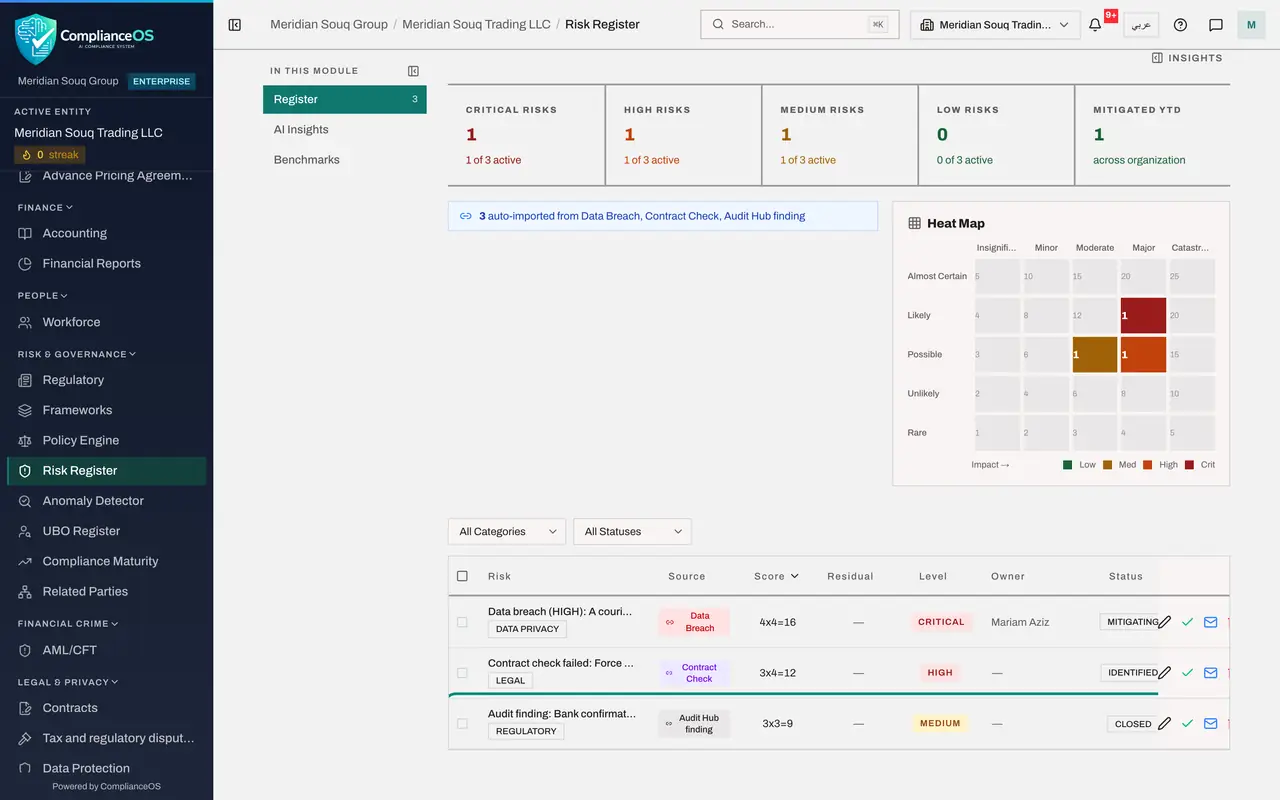
Select Risk Register. Raising the finding also created a risk, with the source Audit Hub finding. It shows Closed, because the finding was closed. A finding that is still open stays on the register until it is fixed.
- Select Risk Register
- 5
Calendar: the audit's dates
Select Calendar. The audit put two dates here by itself: the finding's fix-by date, now Completed, and the end of the audit period on 31 October, still Pending under Upcoming deadlines.
- Select Calendar
- 6
My Actions: nothing from the audit is waiting
Select My Actions. Nothing from the audit is waiting for you. Each of the three people who answered has the same view: their requests moved from Needs your action to Submitted, and then showed Accepted when you accepted them.
- Select My Actions
- 7
Audit log: the audit's own trail
Select Audit log and type audit in the search box. The log lists the audit's life: created, mapped, requests dispatched, answers given by each person, answers accepted, the finding raised and closed, the auditor invited, and the audit completed, each with a name and a time. That closes Journey E. The last journey is about the people who run the group.
- Select Audit log
- Type Search by action name:
audit
How to check it worked
You can find the completed audit with its score, its sealed records in the Evidence Vault, the finding as a closed risk, the audit's dates in the calendar, the audit's events in the audit log, and nothing left under your own audit requests.
Common mistakes
- Treating a completed audit as closed for ever. A recurring audit starts again next period with the same mapping and assignees.
- Keeping the proofs in e-mail as well. The accepted proofs are sealed in the vault; that copy is the one to rely on.
- Forgetting the auditor's access. It ends by itself on the expiry date, but revoke it when the work finishes early.
Check your understanding
1. Which earlier journeys did this audit test?
- A.None; it used new data
- B.Journey B, the VAT return; Journey C, the salary file; and Journey D, the breach notification
- C.Only Journey A
Show answer
Answer: B. Journey B, the VAT return; Journey C, the salary file; and Journey D, the breach notification
Each request asked the person who did the work to prove it, with the document that journey produced.
2. Where is the proof behind an accepted answer kept?
- A.In the assignee's inbox
- B.Sealed in the Evidence Vault, and in the audit's evidence pack
- C.Nowhere
Show answer
Answer: B. Sealed in the Evidence Vault, and in the audit's evidence pack
Accept and vault seals the file. The evidence pack gathers every sealed record of the audit into one download.