Lesson 29 of 63
Journey C, part 8: HR records a leaver and the end-of-service gratuity
What you will be able to do
Aisha Farouk has resigned after three years. In this part the HR director records her as a leaver. ComplianceOS works out her end-of-service gratuity, the payment UAE labour law gives a departing employee, and posts it to the ledger as an amount owed. When the money has been paid, HR records the payment, which posts a second entry. Nobody writes a journal by hand.
Before you start
- Aisha Farouk is an active employee with more than one year of service.
- You know her last day of work and the reason she is leaving.
- You are signed in as the HR director.
Steps
- 1
Find the employee and estimate the gratuity
In Workforce select the Employees tab and find Aisha Farouk. Select Gratuity on her line. The window estimates the gratuity as if she left today: a little over three years of service, at 21 days of basic salary for each year. Nothing is saved or posted by an estimate. Select Close.
- Select Employees
- Select Gratuity
- 2
Select Terminate
Close the estimate and select Terminate on her line. The form names the employee; check that it is the right person.
- Select Close
- Select Terminate
- 3
Enter the last day and the reason
In Termination Date enter her last day of employment, 13 October 2026. In Termination Type choose Resignation. The other reasons are Dismissal, Mutual agreement and Contract end.
- Type Termination Date *:
2026-10-13 - Select Select reason
- Choose Resignation
- Type Termination Date *:
- 4
Read what will be posted
The window now shows the final gratuity, the length of service, and the journal entry that will be posted: Staff costs is debited and the End-of-service benefits provision is credited. No bank entry is made now. The note at the bottom says a termination can be undone, with Reinstate, for a limited time.
- 5
Select Confirm Termination
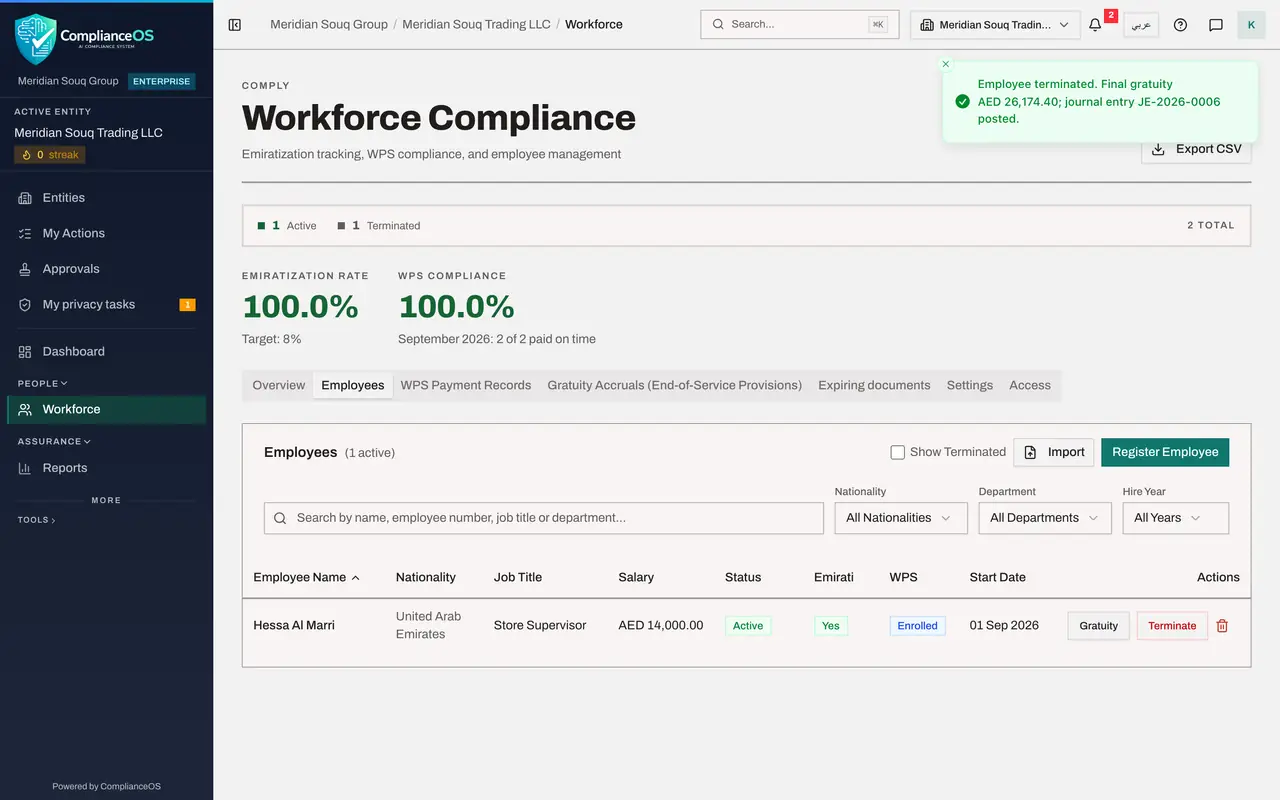
Select Confirm Termination. A message gives the final gratuity and the number of the journal entry that was posted. She leaves the list of active employees.
- Select Confirm Termination
- 6
Show leavers and open her record
Tick the box Show Terminated, so that leavers are listed as well. Her line is shown in grey, with the status Terminated. Select her name.
- Select Show Terminated
- Select Aisha Farouk
- 7
Open the Gratuity tab
Select the Gratuity tab. It now shows the final calculation, and under In the ledger: the journal entry posted at termination, and Payment, Not paid yet. The company owes her this amount.
- Select Gratuity
- 8
Select Record gratuity payment
When finance confirms the gratuity has been paid with her final salary, select Record gratuity payment. Set the Payment date, and in Paid from choose the bank account the money left.
- Select Record gratuity payment
- Type Payment date *:
2026-10-13 - Select Choose a cash or bank account
- Choose 1100 · Bank Accounts — Current
- 9
Confirm the payment
Select Record gratuity payment in the window. A second journal entry is posted: the provision is cleared and the bank account goes down. Payment now shows the date and the entry number, and Reinstate is no longer offered. The employee's story in Workforce is complete. One thing remains: her access.
- Select Record gratuity payment
How to check it worked
Aisha Farouk shows Terminated, her Gratuity tab shows the final gratuity with a journal entry at termination, and Payment shows the date and the journal entry of the payment.
Common mistakes
- Choosing the wrong termination type. The reason is kept on the record and can affect the gratuity.
- Recording the gratuity payment before the money has left the bank. Until then the gratuity is correctly shown as owed.
- Assuming that recording a leaver also removes the person's access to ComplianceOS. It does not; an administrator does that, in the next part.
Check your understanding
1. What is posted to the ledger when you confirm the termination?
- A.A bank payment
- B.The gratuity as a staff cost and as an amount owed, with no bank entry
- C.Nothing
Show answer
Answer: B. The gratuity as a staff cost and as an amount owed, with no bank entry
The window shows the entry before you confirm: Staff costs is debited and the end-of-service provision is credited. The bank is touched only when you record the payment.
2. You terminated the wrong person. What can you do?
- A.Nothing; it is permanent
- B.Select Reinstate, within the period shown, as long as the gratuity has not been paid
- C.Delete the employee
Show answer
Answer: B. Select Reinstate, within the period shown, as long as the gratuity has not been paid
A termination can be undone for a limited time, shown beside the Reinstate button.