Lesson 9 of 33
What a colleague without the assistant permission sees
What you will be able to do
This lesson is for colleagues whose role does not include the Compliance Assistant, and for the administrator who is asked why they cannot find it. Using the assistant needs a permission of its own, AI assistant, Use. The built-in roles that can open at least one module the assistant reads include it. An employee who may only see their own employee record does not, because there would be nothing the assistant could tell them. You will see what the employee's screen offers, and what happens if she opens the assistant's address directly.
Before you start
- You are signed in as an employee of Meridian Souq Trading LLC with the Employee, self-service, role only.
Steps
- 1
Look at the top bar as the employee
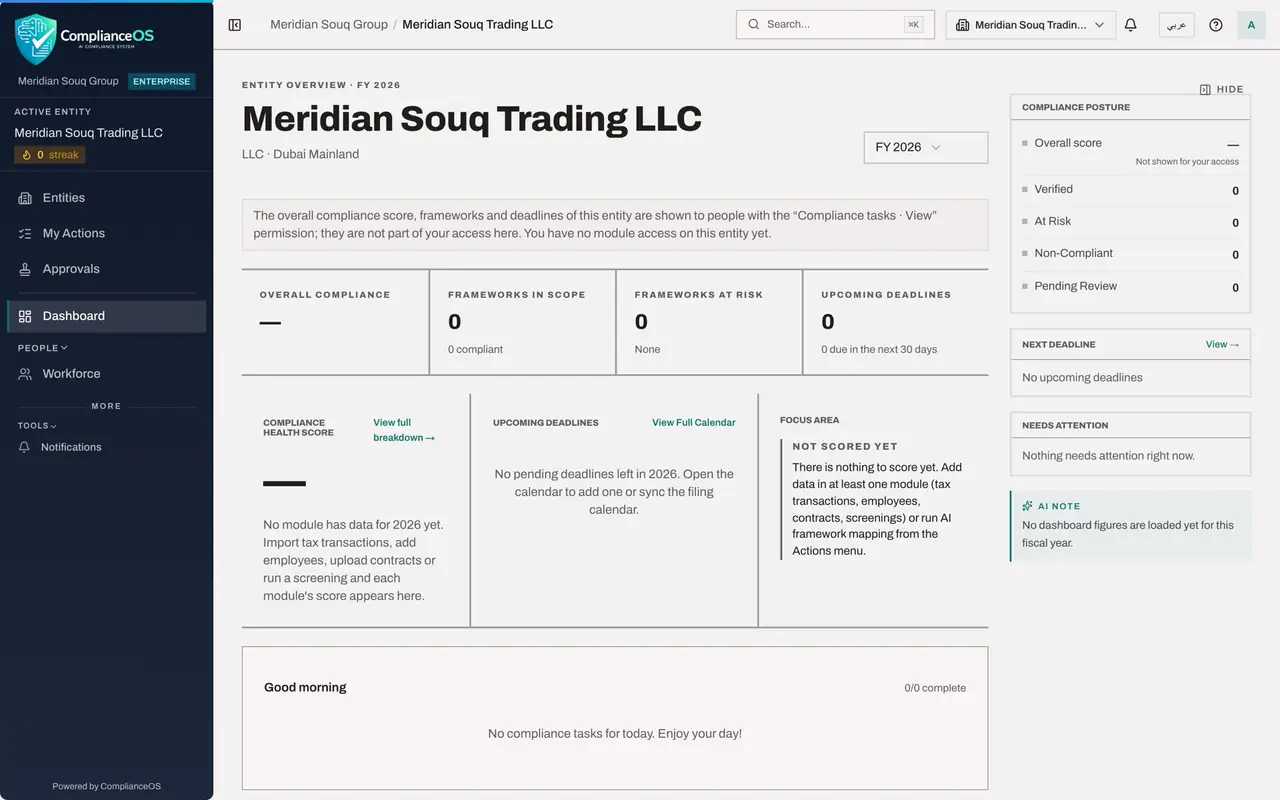
Signed in as the employee, look at the top right. Between the question mark and her initials there is no speech bubble: the assistant's launcher is not shown, because her role does not include the permission AI assistant, Use.
- 2
Look at the left menu
The left menu holds only what her role covers: her own place in Workforce and, under More, Tools, Notifications. There is no AI Assistant entry.
- Select Tools
- 3
Open the assistant's address directly
Suppose a colleague sends her the link to the AI Assistant page. She opens it. The page does not load the assistant. It reads You don't have access to this, names the permission it needs, AI assistant, Use, and names the access administrators who can grant it.
- 4
Select Back to dashboard
Select Back to dashboard to return. If her work needs the assistant, she asks one of the named administrators for a role that includes it and the modules she needs to ask about.
- Select Back to dashboard
How to check it worked
There is no speech bubble at the top right and no AI Assistant in the left menu, and the assistant's own address shows You don't have access to this, naming the permission AI assistant, Use and the two access administrators.
Common mistakes
- Looking for a hidden setting to switch the assistant on. Without the permission the launcher and the menu entry are simply not shown.
- Asking a colleague to put your question to the assistant under their sign-in. The assistant answers with that colleague's rights, and the question is logged under their name.
- Asking the access administrator for full access. Ask for a role that includes AI assistant, Use, and the modules you need to ask about.
Check your understanding
1. Which permission does a person need to open the Compliance Assistant?
- A.Tax, View
- B.AI assistant, Use
- C.Audit log, View
- D.None
Show answer
Answer: B. AI assistant, Use
The page names it: This needs the AI assistant, Use permission.
2. Why does the built-in Employee role not include it?
- A.Employees are not trusted
- B.An employee may only see their own record, so there is no module the assistant could read for them
- C.It costs too much
- D.It is a mistake
Show answer
Answer: B. An employee may only see their own record, so there is no module the assistant could read for them
The built-in roles include the assistant only when they can view at least one module the assistant reads.