Lesson 3 of 33
Give the assistant something to read: a processing activity
What you will be able to do
This lesson is for the Data Protection Officer. You will add one entry to the record of processing activities, or RoPA, which is the register of how the company uses personal data. Later lessons ask the assistant and the agent about data protection, and this entry is the record their answers should reflect.
Before you start
- You are signed in as the Data Protection Officer of Meridian Souq Trading LLC.
- Lessons 1 and 2 are done: the company holds three tax transactions, a risk and a deadline.
Steps
- 1
Open Data Protection and select Add Activity
In the left menu, under Legal and Privacy, choose Data Protection. It opens on the RoPA section, the record of processing activities. Select Add Activity. The Add Processing Activity form opens.
- Select Add Activity
- 2
Type the activity name
In Activity Name, type a short name the business will recognise. This activity covers the delivery details kept for online orders.
- Type Activity Name *:
Online order delivery records
- Type Activity Name *:
- 3
Choose the legal basis
Open Legal Basis. The legal basis is the reason the law allows the processing. Delivering an order the customer placed is Performance of a contract with the data subject.
- Select Select lawful basis
- 4
Describe the purpose
In Purpose, say in plain words what the data is used for.
- Type Purpose *:
Deliver online orders to customers, confirm delivery and handle return…
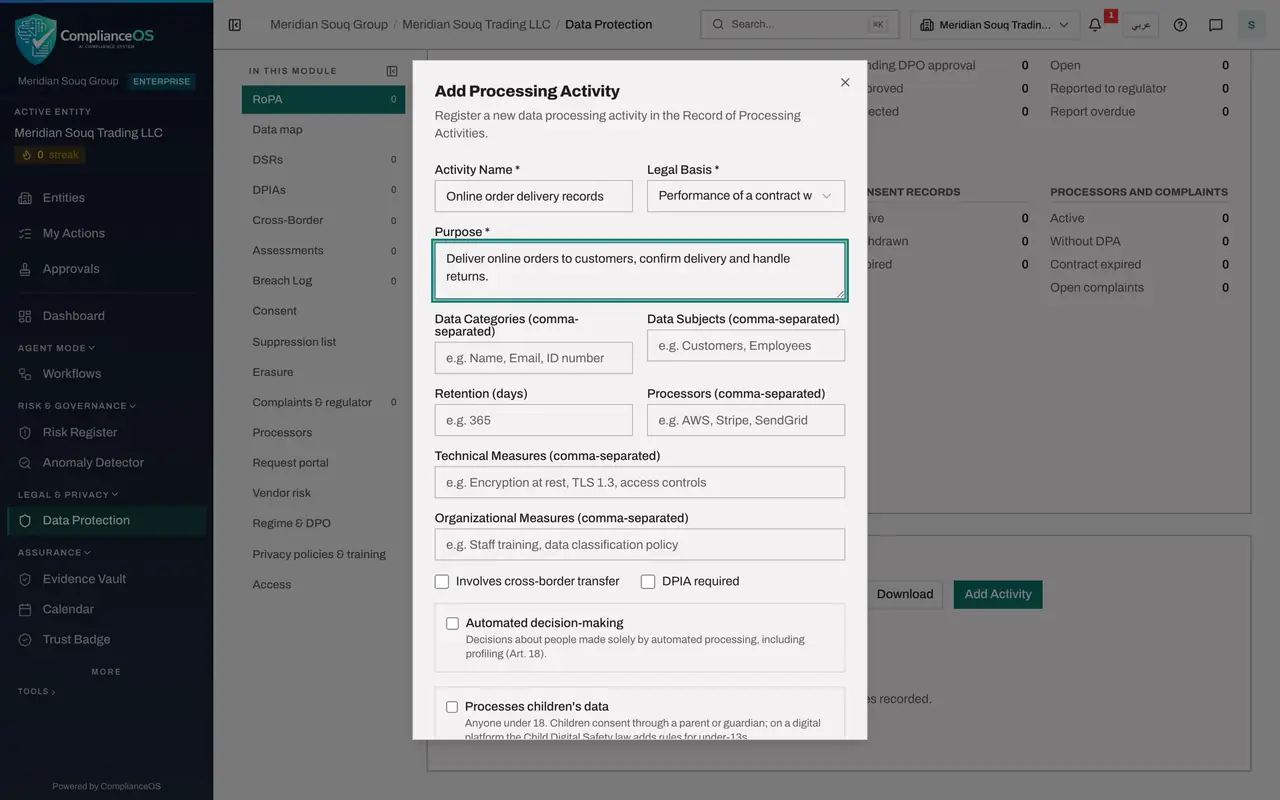
- Type Purpose *:
- 5
List the data categories and the data subjects
In Data Categories, list the kinds of personal data, separated by commas. In Data Subjects, list the groups of people the data is about. Type kinds of data only, never the data itself.
- Type Data Categories (comma-separated):
Name, Delivery address, Mobile number, Order history - Type Data Subjects (comma-separated):
Customers
- Type Data Categories (comma-separated):
- 6
Enter the retention period and the processor
In Retention, type how long the data is kept, in days. Two years is 730 days. In Processors, name the supplier that handles the data for you: here the courier from lesson 1.
- Type Retention (days):
730 - Type Processors (comma-separated):
Falcon Wing Couriers LLC
- Type Retention (days):
- 7
Select Add Activity to save
Select Add Activity at the bottom of the form. A message confirms Processing activity added.
- Select Add Activity
- 8
Find the activity in the register
The activity is now a row in the register, with its purpose, legal basis and retention. The company now holds records in four modules: tax, the risk register, the calendar and data protection. The next lesson opens the assistant.
How to check it worked
Data Protection, on the RoPA section, lists Online order delivery records with the legal basis Performance of a contract and a retention of 730 days.
Common mistakes
- Typing a real customer's name or phone number into Data Categories. The field lists kinds of data, such as Name or Mobile number, never the data itself.
- Leaving Purpose vague. The purpose is what the assistant, and an auditor, read to understand why the data is held.
- Assuming every colleague can ask the assistant about this record. A later lesson shows that what a person may ask depends on the role they hold.
Check your understanding
1. What belongs in Data Categories?
- A.The customers' actual names and numbers
- B.The kinds of personal data used, such as Name and Delivery address
- C.The name of the database
- D.Nothing, it is filled by the assistant
Show answer
Answer: B. The kinds of personal data used, such as Name and Delivery address
The register describes the kinds of data an activity uses. It never holds the personal data itself.
2. Which three fields must be filled before the activity can be saved?
- A.Activity Name, Purpose and Legal Basis
- B.Activity Name, Retention and Processors
- C.Purpose, Data Subjects and Retention
- D.Only Activity Name
Show answer
Answer: A. Activity Name, Purpose and Legal Basis
Activity Name, Purpose and Legal Basis are marked with a star. The form refuses to save without them.