Lesson 27 of 29
What you see without access
What you will be able to do
This lesson is for anyone who follows a link to a contract or a dispute and cannot open it. You are Aisha Farouk, an employee with self-service access only. You will see what ComplianceOS shows when your role does not include Contracts or Disputes, and whom to ask for access.
Before you start
- You are signed in with a role that does not include the Contracts or Disputes modules. The Employee role does not.
- A colleague has sent you a link to the Contracts screen.
Steps
- 1
Look for the modules in the menu
After signing in, look at the left menu. Contracts and Tax and regulatory disputes are not listed, because your role does not include them. The menu only shows what you may open.
- 2
Open the link to Contracts
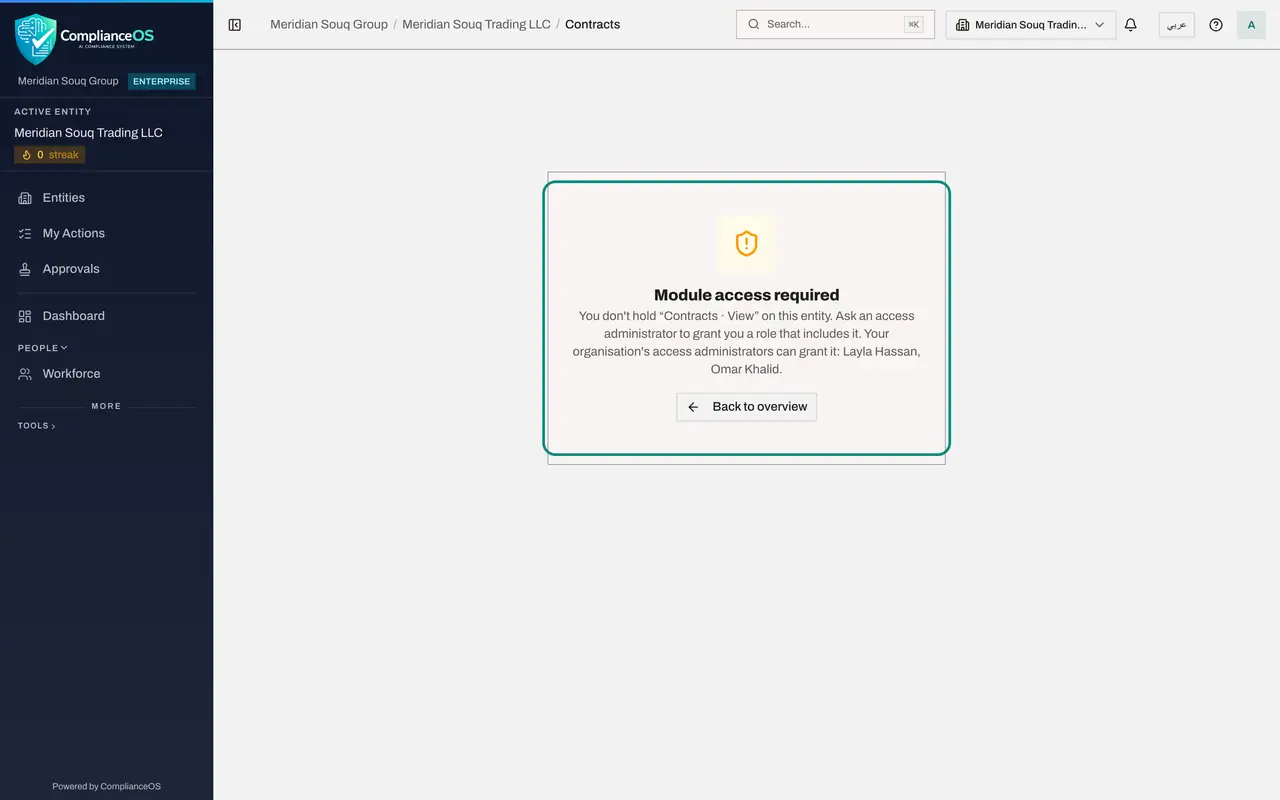
Now follow the link your colleague sent to the Contracts screen. Instead of the list, the page says Module access required. It names the right you do not hold, Contracts, View, for this company, and tells you to ask an access administrator for a role that includes it.
- 3
See who can grant access
The last sentence of the message names your organisation's access administrators, the people who can grant you the right. Here they are Layla Hassan and Omar Khalid. Ask one of them for a role that includes Contracts, and say why you need it.
- 4
Check the disputes link too
The same happens with a link to Tax and regulatory disputes: the page says Module access required and names the right Disputes, View. Select Back to overview to return to your own pages.
How to check it worked
the page says Module access required, names the right you are missing, and names the access administrators who can grant it.
Common mistakes
- Refreshing the page or signing in again. The page is working as designed: your role does not include this module.
- Asking the colleague who sent the link for their password. Ask an access administrator for a role that includes the module, and say why you need it.
Check your understanding
1. You open a link to Contracts and see Module access required. What does it mean?
- A.The system is down
- B.Your role does not include the right to view contracts for this company
- C.The contract was deleted
- D.You need a new browser
Show answer
Answer: B. Your role does not include the right to view contracts for this company
The message names the missing right, contracts view, and tells you to ask an access administrator.
2. Who can give you access to Contracts?
- A.One of the access administrators named on the message
- B.The colleague who sent you the link, by sharing a password
- C.Nobody
- D.The counterparty to the contract
Show answer
Answer: A. One of the access administrators named on the message
The message names the people who administer access for the organisation. Sharing a sign-in is never the answer.