Lesson 1 of 28
Find your way around requests, consent and complaints
What you will be able to do
Know where each part of this course lives inside Data Protection: the request list, the public request portal, erasure, consent, the suppression list and complaints, and what each one looks like before anything has been recorded.
Before you start
- You are signed in with the Data Protection Officer role for the entity Meridian Souq Trading LLC.
- Nothing has been recorded yet. The lessons that follow fill each of these sections in turn.
Steps
- 1
Open Data Protection
In the main menu on the left, select Data Protection. A second list appears beside it, headed In this module. Each line in that list is one register or tool. This course uses six of them.
- Select Data Protection
- 2
Read the request figures at the top
The panel called Programme metrics counts the work of the whole privacy programme. The first block, Data subject requests, shows how many requests were received, how many are open or overdue, and how many were answered on time. Everything is zero because nothing has been logged yet.
- 3
Select DSRs
Select DSRs in the list. DSR is short for data subject request: a person asking to see, correct, delete, move or limit the use of their personal data. The list is empty and says No DSR requests found. Along the top are the filters, the Download button and the Log DSR button.
- Select DSRs
- 4
Select Request portal
Select Request portal. This is where you switch on a public web page for people to send requests themselves. The card shows Off, so the public link does not work yet.
- Select Request portal
- 5
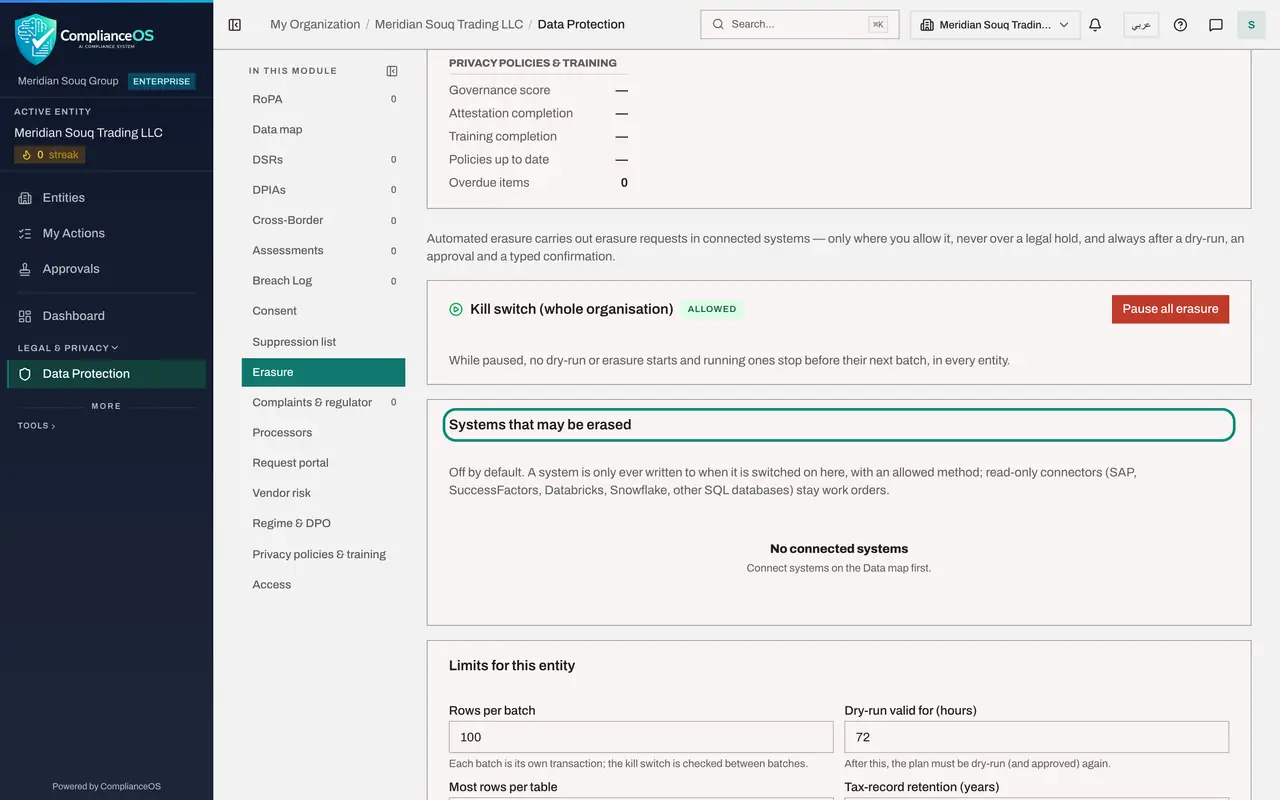
Select Erasure
Select Erasure. This section holds the safeguards for deleting personal data: a switch that pauses all erasure, the list of systems that may be erased, the limits, and the legal-hold register, which lists records that must be kept.
- Select Erasure
- 6
Select Consent
Select Consent. This register records when each person agreed to a use of their data, what wording they agreed to, and whether that consent is still active. The three tiles count Active, Withdrawn and Expired records.
- Select Consent
- 7
Select Suppression list
Select Suppression list. It holds the people who must not be contacted, or whose data must not be used. Entries arrive here by themselves when consent is withdrawn, an objection is upheld or data is erased, and you can add entries by hand.
- Select Suppression list
- 8
Select Complaints and regulator
Select Complaints and regulator. This register holds complaints from the people your data is about, and letters from the data protection regulator. The tiles count what is open, what is overdue and what came from the regulator.
- Select Complaints & regulator
- 9
Know the year filter
At the top right of Data Protection is the year filter. Requests, consents and complaints are counted and listed for the year shown. Open it to see the choices, and choose All years when you need an older record.
- Select FY 2026
How to check it worked
You can open DSRs, Request portal, Erasure, Consent, Suppression list and Complaints and regulator from the In this module list, and you can say what each one is for.
Common mistakes
- Looking for these sections in the main left menu. They are inside Data Protection, in the second list headed In this module.
- Reading an empty list as a fault. Each section says in words that nothing is recorded yet, and the year filter at the top can also hide older records.
- Forgetting the year filter. Requests and consents follow the financial year chosen at the top right; choose All years when you are looking for an older record.
Check your understanding
1. Where do you find the list of data subject requests?
- A.Under Tools in the main menu
- B.In Data Protection, under DSRs in the In this module list
- C.On the Approvals page
- D.In the compliance calendar only
Show answer
Answer: B. In Data Protection, under DSRs in the In this module list
Every part of this course is a section of Data Protection. DSRs is the request list.
2. The DSRs list says nothing is recorded for 2026, but you know a request was logged last year. What do you do?
- A.Log the request again
- B.Ask an administrator to restore it
- C.Change the year filter at the top of Data Protection to All years
- D.Open the suppression list
Show answer
Answer: C. Change the year filter at the top of Data Protection to All years
Requests follow the year filter. The empty message itself tells you to choose All years to see earlier records.