Lesson 24 of 29
Review the substance assessment as the compliance officer
What you will be able to do
This lesson is for the compliance officer, the second person in the free zone assessment. The tax manager has run the substance assessment; you read the AI assistant's result and record your review, which confirms or overrides it.
Before you start
- You are signed in with the Compliance officer role and hold that role on Meridian Souq E-Commerce FZ-LLC. An administrator granted it in Access control; it was done off camera.
- The tax manager has run the 2025 substance assessment for the free zone licence (lesson 23). Its review status is Pending.
- You have checked the facts behind it: the headcount against the payroll list, the lease, and the revenue split against the accounts.
Steps
- 1
Open Free Zones for the free zone company
Use the entity button at the top right to switch to Meridian Souq E-Commerce FZ-LLC, then choose Free Zones in the left menu and select Substance Assessment in the list on the left.
- Select Free Zones
- Select Substance Assessment1 (1)
- 2
Select Review on the 2025 assessment
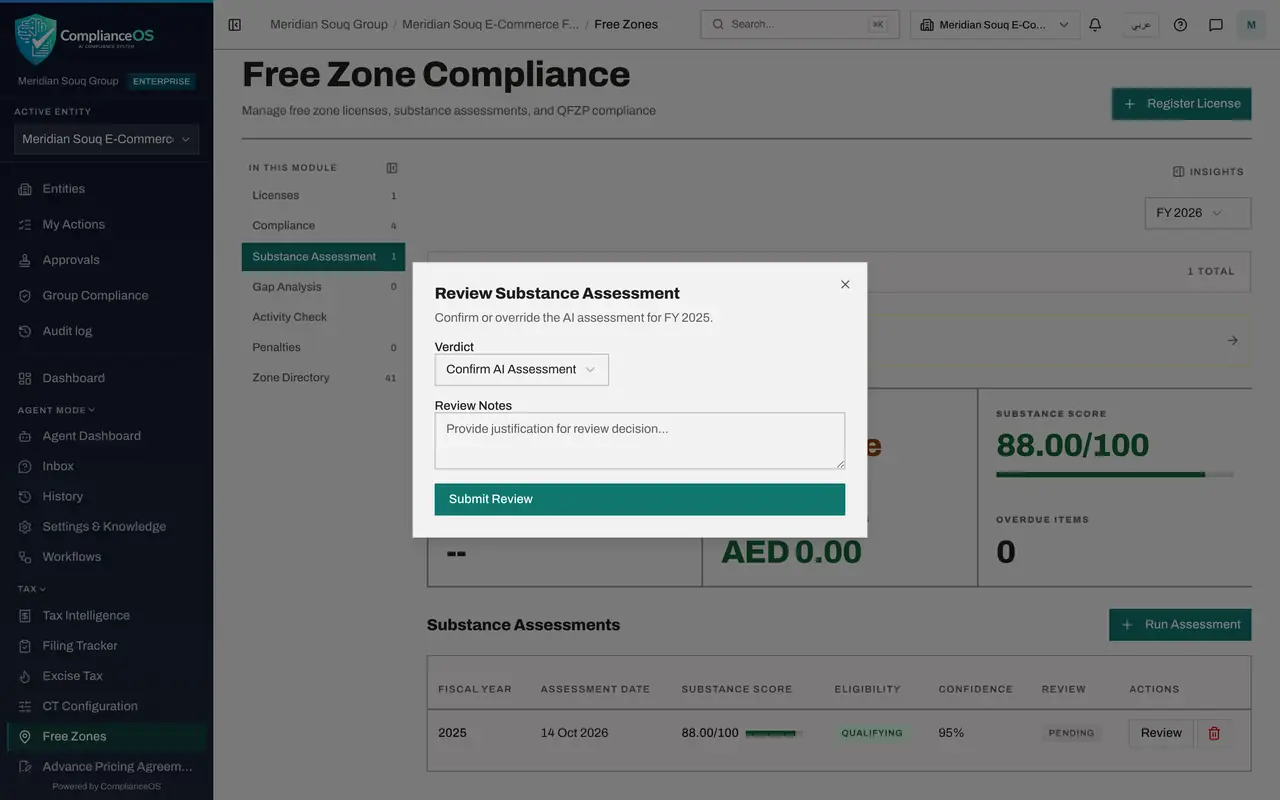
The row shows the score, the eligibility the AI assistant proposes, its confidence and the review status Pending. Select Review at the end of the row. The window Review Substance Assessment opens.
- Select Review
- 3
Choose the verdict
Open Verdict. Confirm AI Assessment accepts the result as it stands. Override AI Assessment records that you reached a different conclusion. The facts agree with the records, so choose Confirm AI Assessment.
- Select Verdict
- Choose Confirm AI Assessment
- 4
Write the review notes and select Submit Review
In Review Notes say what you checked. Then select Submit Review. The window closes.
- Type Review Notes:
Headcount agrees with the payroll list, the lease covers 420 square me… - Select Submit Review
- Type Review Notes:
- 5
Check the Review column
The Review column of the 2025 assessment now reads Confirmed, and the Review button has gone from the row. The detail above still shows the criteria and the de minimis check. The tax manager can now rely on the assessment when the return is prepared.
How to check it worked
In the Substance Assessment list, the Review column of the 2025 assessment reads Confirmed.
Common mistakes
- Confirming without checking the inputs. Open Assessment Inputs in the detail and compare each figure with its source before you confirm.
- Choosing Override without giving reasons. Review Notes is where the next reader learns why the AI assistant's result was changed.
- Leaving the review to the person who ran the assessment. With the Tax manager role the review is refused; it is meant to be a second pair of eyes.
Check your understanding
1. What are the two verdicts a reviewer can give?
- A.Approve or delete
- B.Confirm AI Assessment or Override AI Assessment
- C.Pass or fail
- D.Draft or final
Show answer
Answer: B. Confirm AI Assessment or Override AI Assessment
Confirm accepts the AI assistant's result; Override records that the reviewer reached a different conclusion, with the reasons in the notes.
2. Who can record the review of a substance assessment?
- A.The tax manager who ran it
- B.The compliance officer or an administrator
- C.Any employee
- D.The free zone authority
Show answer
Answer: B. The compliance officer or an administrator
The tax manager prepares the assessment; the review is reserved for a role with approval rights, so that two people are involved.