Lesson 25 of 27
What someone without access to Data Protection sees
What you will be able to do
Recognise what a colleague sees when they have no Data Protection role, so you can explain it when they ask, and know how they find out who can grant access.
Before you start
- This lesson is recorded as Fatima Noor, a tax manager, who holds no role that includes Data Protection.
- You have a link to a Data Protection page, sent by a colleague, or you typed the address.
Steps
- 1
Look at the main menu
Fatima is a tax manager. Her main menu shows the modules her role includes, such as Tax. There is no Legal and Privacy group and no Data Protection entry.
- 2
Open a link to Data Protection
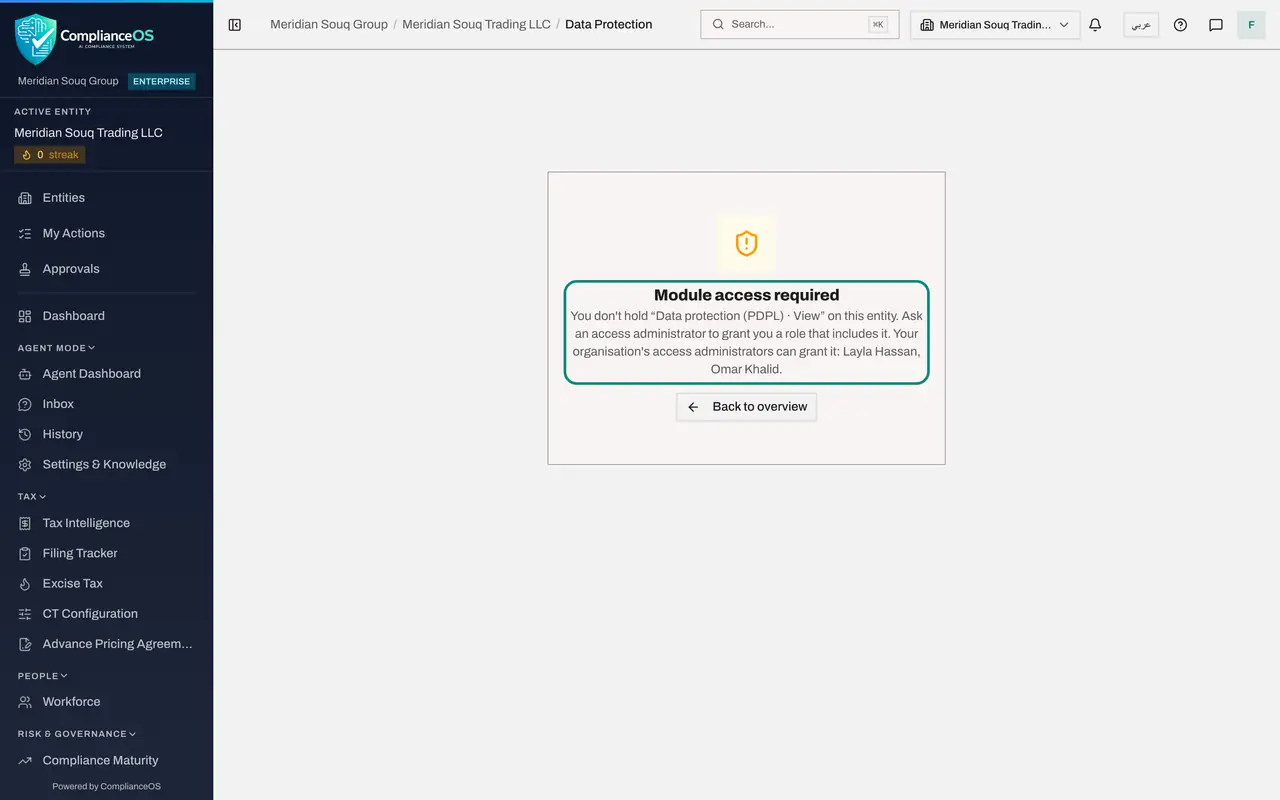
A colleague sends her a link to the processing register. When she opens it, the page says Module access required. It names the permission she does not hold, Data protection, View, and the people in her organisation who can grant it: the access administrators Layla Hassan and Omar Khalid.
- 3
Select Back to overview
Select Back to overview to return to the entity's dashboard. Nothing was changed, and no record was shown. Her next step is to ask one of the administrators named on the page.
- Select Back to overview
How to check it worked
you saw that Data Protection is not in the main menu, and that a direct link shows Module access required with the name of the missing permission and the administrators who can grant it.
Common mistakes
- Sharing your sign-in so a colleague can look at a record. Ask the security administrator to grant them a role instead; a read-only role exists for people who only need to look.
- Reporting the Module access required page as a fault. It is the expected result for someone without the role.
Check your understanding
1. A colleague without a Data Protection role opens a link to the processing register. What do they see?
- A.An empty register
- B.Module access required, naming the permission they lack
- C.The register, read-only
- D.The sign-in page
Show answer
Answer: B. Module access required, naming the permission they lack
The page names the missing permission and tells them to ask an access administrator for a role that includes it.
2. Who can give a colleague access to Data Protection?
- A.Any Data Protection Officer
- B.An access administrator, such as the security administrator
- C.The colleague themselves
- D.The auditor
Show answer
Answer: B. An access administrator, such as the security administrator
Roles are granted by people who administer access. The Module access required page names them.