Lesson 1 of 25
Tour of Finance: what lives where
What you will be able to do
This lesson is for everyone in the finance team. You will learn where each finance task is done: the nine sections inside Accounting and the separate Financial Reports page. The company is new, so every list is still empty; the lessons that follow fill them.
Before you start
- You are signed in with the Accountant or the Finance manager role for the entity, which is one legal company in your group.
- You are inside the entity, so the left menu shows the group called Finance.
Steps
- 1
Open Accounting
In the left menu, under Finance, select Accounting. The list headed In this module shows its nine sections. Some carry a count of records, and every count is zero in a new company. Accounting opens on Chart of Accounts.
- Select Accounting
- 2
Read Chart of Accounts while it is empty
The chart of accounts is the list of every account the company records money against. Two settings cards sit above it: Foreign exchange on payments and Posting accounts. Below them the list says No accounts yet; the next lesson fills it from a template. Under the list, COA Mapping Review is where the accounts of a connected accounting system are matched to this chart. No system is connected here, so it says No mappings awaiting review.
- 3
Open the Insights panel, then close it
Select Insights at the top right of the section. A panel slides in with a summary of the books: bank reconciliation, supplier bills, period close and the link to an accounting system. Pin keeps it beside the page, which takes room from the lists, so leave it unpinned and select Close when you have read it.
- Select Show insights panel
- Select Close
- 4
Select Supplier Bills
Supplier Bills holds the invoices you receive from suppliers. The tiles count all bills, those waiting for review, those verified and those not yet matched to a bank payment. Upload Document reads a bill from a file, and Manual Entry lets you type one in.
- Select Supplier Bills
- 5
Select Banking
Banking lists the company's bank accounts. You import statements here and tie each line to a bill or a category. That work is called bank reconciliation. No account has been added yet.
- Select Banking
- 6
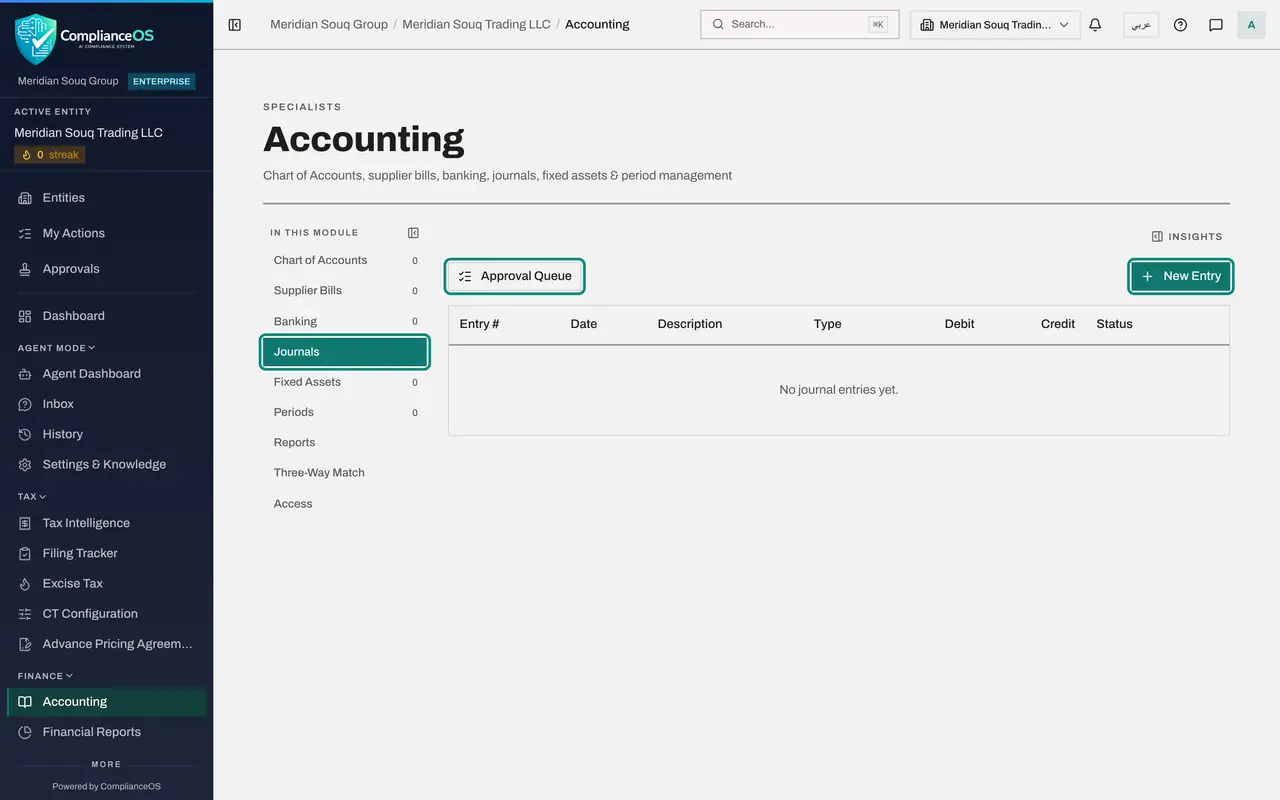
Select Journals
Journals is the record of every entry in the books. Entries posted for you by bills, payments and bank lines are listed beside the ones typed in by hand. New Entry starts a manual entry, and Approval Queue shows the entries waiting for a second person.
- Select Journals
- 7
Select Fixed Assets
Fixed Assets is the register of things bought to use for years, such as vehicles and equipment. The tiles show the total cost, the depreciation charged so far and the net book value, which is cost less depreciation.
- Select Fixed Assets
- 8
Select Periods
Periods lists the months, quarters or years you define. A finance manager closes a period when its entries are complete, so that its figures stop changing.
- Select Periods
- 9
Select Reports
Reports is a quick view of the trial balance and the other statements without leaving Accounting. Choose the report in Report Type. The full reports, with more options, are on the Financial Reports page.
- Select Reports
- 10
Select Three-Way Match
Three-Way Match is a read-only check. It sets each bank line beside the document it was matched to, such as a supplier bill, and shows any difference between them. It is empty until a bank statement has been imported.
- Select Three-Way Match
- 11
Select Access
Access shows who may view, create, edit and approve in Accounting. Only people who administer access see that list. As an accountant you see a message that tells you to ask your security administrator.
- Select Access
- 12
Open Financial Reports
In the left menu select Financial Reports, just below Accounting. The reports are listed on the left: Trial Balance, P and L, which is profit and loss, Balance Sheet, the two aging reports and Cash Flow. Each report is run with its Generate button.
- Select Financial Reports
How to check it worked
Without help you can open each of the nine sections of Accounting and open Financial Reports from the left menu.
Common mistakes
- Working in the wrong company. Everything here belongs to the entity named in the breadcrumb at the top of the screen, so check it before you enter anything.
- Looking for the trial balance only inside Accounting. The Reports section there is a quick view; the full reports, with their own Generate button, are on the Financial Reports page.
- Expecting the Access section to list people. Only access administrators see who holds which rights; everyone else sees a short message there.
Check your understanding
1. Where do you record an invoice you have received from a supplier?
- A.Accounting, in Journals
- B.Accounting, in Supplier Bills
- C.Financial Reports
- D.Accounting, in Periods
Show answer
Answer: B. Accounting, in Supplier Bills
Invoices you receive are supplier bills. They are uploaded or typed in, verified and paid in the Supplier Bills section.
2. Which section holds every entry in the books, whoever or whatever posted it?
- A.Banking
- B.Fixed Assets
- C.Journals
- D.Three-Way Match
Show answer
Answer: C. Journals
Journals lists the entries posted for you by bills, payments and bank lines beside the ones typed in by hand, each with its status.