Lesson 20 of 21
What a colleague without these rights sees
What you will be able to do
This lesson is for everyone outside the compliance team, and for the compliance officer who is asked why a colleague cannot see the register. The finance manager owns a risk in this course, but his role does not include the risk register. You will see what his menu holds, what a refused page says, whom the page tells him to ask, and what he can use: the reports.
Before you start
- You are signed in with a role that does not include the risk register, the calendar, frameworks or regulatory. Here it is the Finance manager.
Steps
- 1
Look at the menu as the finance manager
Signed in as the finance manager, look at the left menu. It holds only what the role covers: Tax, Finance, and under Assurance a single entry, Reports. There is no Risk and Governance group, no Calendar and no Group Compliance. A page you may not open is not offered.
- 2
Open the risk register from a link
Suppose a colleague sends the address of the risk register, or it is in an escalation email. Open it. The page does not load. It reads Module access required, and says exactly what is missing: You don't hold Risk register, View, on this entity. It then tells you whom to ask, by name: your organisation's access administrators, here Layla Hassan and Omar Khalid.
- 3
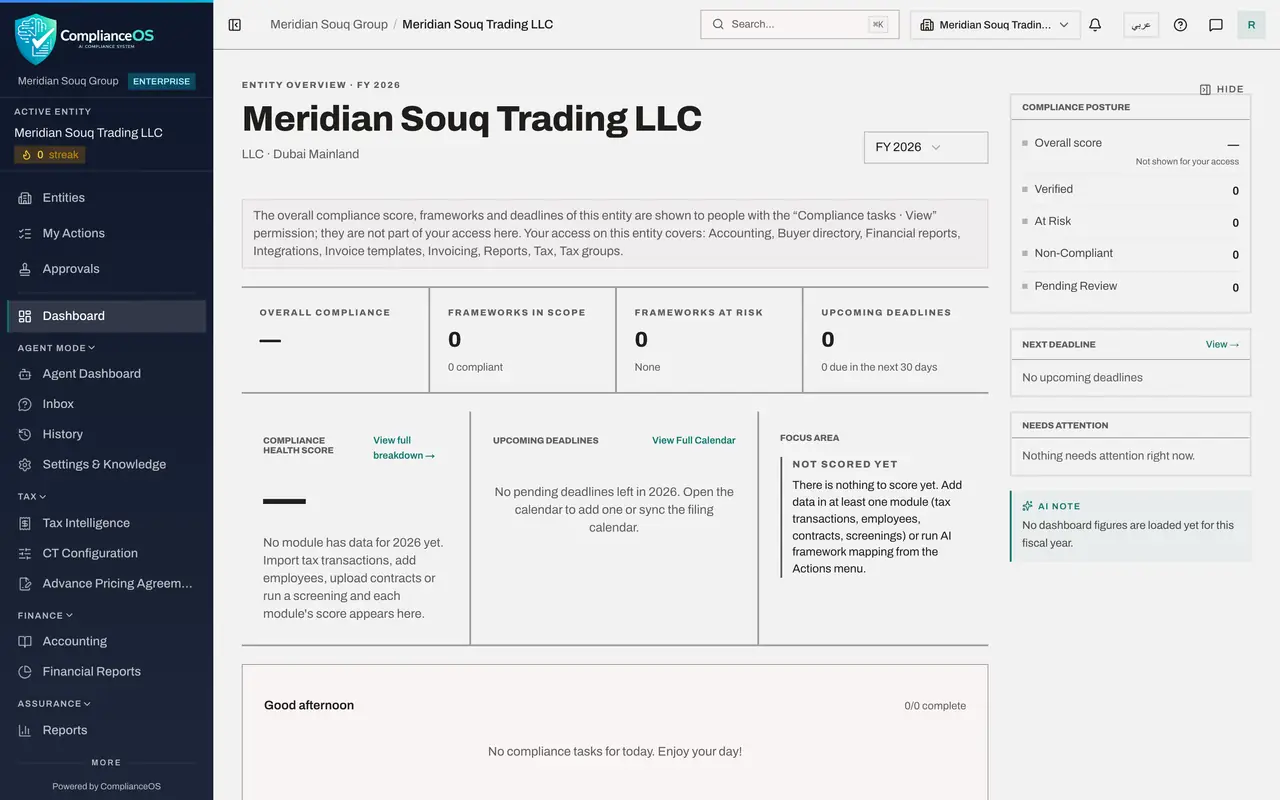
Select Back to overview
Select Back to overview. You are returned to the entity's dashboard, which every role can open.
- Select Back to overview
- 4
Try Group Compliance
The group view answers in the same way. Its address opens the page title, and under it: You don't have access to this. This needs the permission group compliance view. Ask an administrator if you need it.
- 5
Open Reports
Now choose Reports in the left menu. This page opens, because the Finance manager role includes viewing, requesting and exporting reports. The reports the compliance officer generated are listed, and View and Download work for him as they do for her.
How to check it worked
The left menu has no Risk and Governance group. A refused page names the exact permission that is missing and the administrators who can grant it, and Reports opens normally.
Common mistakes
- Assuming a risk owner can see the register. Naming someone as the owner of a risk, or escalating it to them, does not give them access. They receive the email; to work in the register they need a role that includes it.
- Asking the compliance officer for access. Access is granted by an access administrator. The refused page names them.
- Sharing your own sign-in so that a colleague can look. Every action is recorded against the person signed in. Ask for the role instead.
Check your understanding
1. A page reads Module access required: You don't hold risk_register:view on this entity. What should the person do?
- A.Try again later
- B.Ask one of the access administrators named on the page for a role that includes the permission
- C.Use a colleague's password
- D.Nothing can be done
Show answer
Answer: B. Ask one of the access administrators named on the page for a role that includes the permission
The message names the missing permission and the access administrators who are able to grant it.
2. Which page of this course can the finance manager use?
- A.Risk Register
- B.Compliance Calendar
- C.Reports
- D.Frameworks
Show answer
Answer: C. Reports
The Finance manager role includes viewing, requesting and exporting reports. The risk register, calendar, frameworks and regulatory feed need other roles.