Lesson 10 of 21
Request a privileged role that needs a second administrator
What you will be able to do
This lesson is for access administrators. Some roles are privileged, because they let their holder manage access or the organisation itself. You will read the approval policy that covers such roles, then grant the Org unit administrator role to a regional manager and see that it waits for a second administrator instead of taking effect at once.
Before you start
- Hana Qasim has been invited and the unit UAE Operations exists, from the earlier lessons.
- A second administrator is available to approve. Nobody can approve their own request.
Steps
- 1
Open the Approval policies tab
In Access control select the Approval policies tab. The list on the left holds every action that can be made to wait for a second person. Most show Default. One shows 1 saved: Grant a role, also called an access change.
- Select Approval policies
- 2
Select Grant a role and read the saved policy
Select Grant a role. This organisation has saved a policy for the whole organisation with one step. The step needs one approver who holds the permission to manage access, and it applies only when the field privileged role is yes. Strict maker and checker is on, so nobody approves their own request. The course on policies shows how to change these settings.
- 3
Open People and assignments and select the person
Select the People and assignments tab, search for Hana and select her. She was invited without a role, so her card shows No role assignments.
- Select People & assignments
- Type Search people…:
Hana
- 4
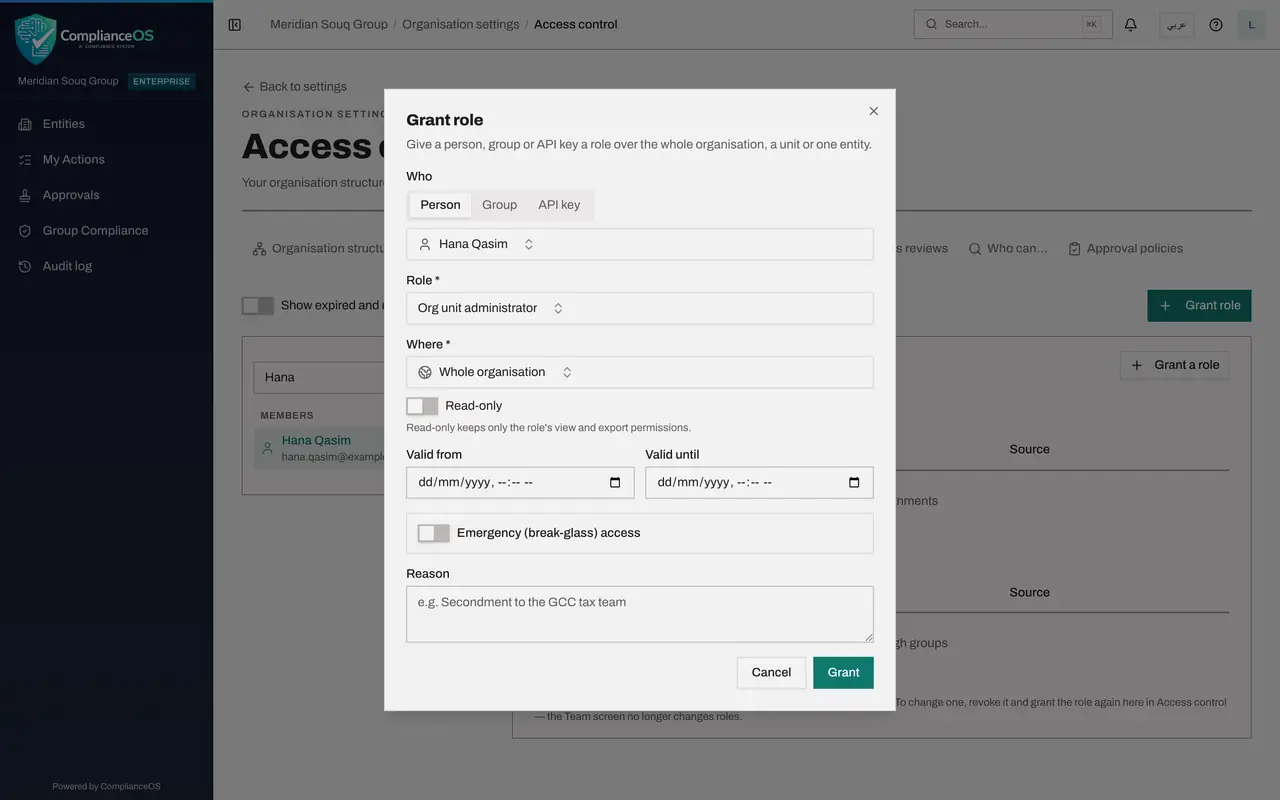
Select Grant a role and choose the role
Select Grant a role on her card. Under Role, choose Org unit administrator. This role lets its holder give roles to people inside the unit it is granted for, and only permissions they hold themselves.
- Select Grant a role
- Select Choose a role
- Type Search…:
unit admin
- 5
Choose where the role applies
Under Where, choose UAE Operations and leave Include sub-units on. She will administer access for the region and the units beneath it, and for nothing outside it.
- Select Whole organisation
- Type Search units and entities…:
UAE - Choose UAE OperationsUAE-OPS · Region
- 6
Give a reason and select Grant
Type the reason, then select Grant. Because this role is privileged, the message reads Sent for approval: the role is granted once approved. The message names the request and offers a View request button.
- Type Reason:
Regional operations manager for UAE Operations from 1 November - Select Grant
- Type Reason:
- 7
Select View request
Select View request in the message. It opens Approvals on the My requests tab. You can also get there from Approvals in the left menu. My requests lists everything you have sent for approval.
- Select View request
- 8
Read where the request stands
The request shows the role, marked Privileged role, the person, the unit, the reason and who requested it. Below, the status is Pending under the policy Privileged roles need a second administrator, waiting on Step 1 with 0 of 1 approvals. Withdraw cancels the request if you made a mistake.
How to check it worked
In Approvals, on the My requests tab, a request named Org unit administrator for Hana Qasim shows the status Pending and the line Step 1, Second administrator, with 0 of 1 approvals. Her card in Access control still shows no role.
Common mistakes
- Telling the person they have the role as soon as you select Grant. A privileged role is only requested at that point; it is granted when the second administrator approves.
- Leaving the reason empty. The approver sees the reason on the request, and a clear reason is approved faster.
- Asking the approver to hurry by approving it yourself. The policy uses strict maker and checker, so the requester's own approval is refused.
Check your understanding
1. You grant Org unit administrator and see the message Sent for approval. Does the person hold the role now?
- A.Yes, immediately
- B.No, only once a second administrator approves
- C.Yes, but read-only
- D.Yes, for 24 hours
Show answer
Answer: B. No, only once a second administrator approves
The saved policy holds privileged roles for a second administrator. The message says the role is granted once approved.
2. You made a mistake in a pending request. What can you do?
- A.Nothing
- B.Select Withdraw on the request in My requests, then make a new grant
- C.Edit the request
- D.Approve it and revoke the role later
Show answer
Answer: B. Select Withdraw on the request in My requests, then make a new grant
A requester can withdraw a request while it is pending. Requests cannot be edited.