Lesson 19 of 20
What you see without the permission
What you will be able to do
This lesson is for everyone, and for administrators who want to know what a colleague without access experiences. Signed in as an employee with the self-service role, you will see which parts of this course are missing from the menu, what the Approvals inbox looks like when nothing is yours to decide, and the message shown when you try to open the audit log.
Before you start
- You are signed in with a role that does not include the Evidence Vault, the Document Library or the audit log.
Steps
- 1
Look at the left menu
An employee's menu is short: Entities, My Actions, Approvals, Dashboard and Workforce, with Tools at the bottom. There is no Data Protection, no Evidence Vault, no Documents and no Audit log, because the role does not include them.
- 2
Open Approvals
Select Approvals. Everyone has this inbox. To decide reads Nothing waiting for you, because no request needs this person's decision.
- Select Approvals
- 3
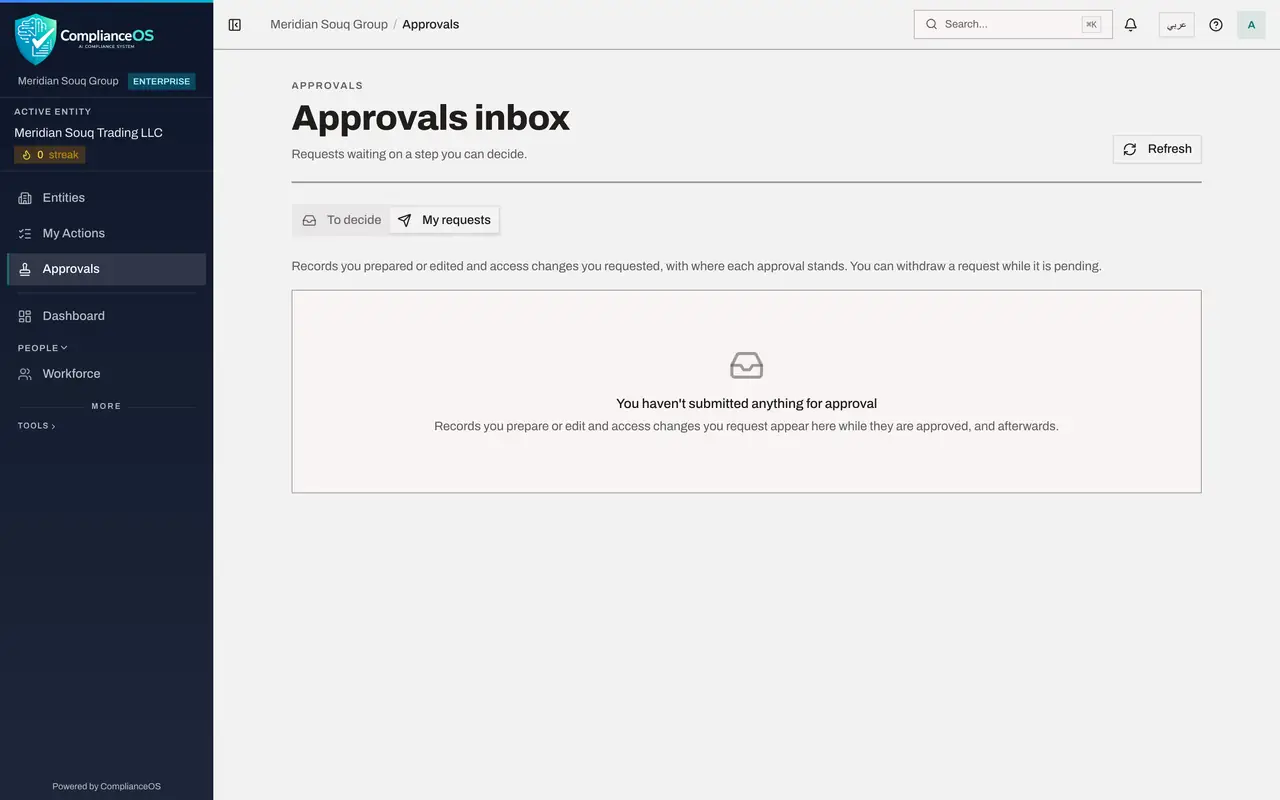
Select My requests
Select My requests. It is empty too: this person has not submitted anything for approval.
- Select My requests
- 4
Look for the Audit Log link on the Entities page
Select Entities in the left menu and scroll to the bottom of the page. People who may read the audit log see an Audit Log link there. This employee does not, because the role does not include it.
- Select Entities
- 5
Open a link to the audit log
Suppose a colleague sends you a link to the audit log. Open it. The log does not open. The page reads You don't have access to this, and names what is missing in words: the Audit log, View permission, which your roles do not include.
- 6
Know whom to ask
The message tells you to ask an access administrator for a role that includes the permission. Select Back to dashboard to return to your work.
- Select Back to dashboard
How to check it worked
The audit log page reads You don't have access to this, and names the permission that is needed in words: Audit log, View.
Common mistakes
- Reporting the message as a fault. It is the product working as designed: the audit log is limited to auditors, compliance officers, security administrators and people with full access.
- Asking a colleague to share their sign-in so you can look. Ask an access administrator for a role that includes what you need; every action is recorded under the name of the person signed in.
Check your understanding
1. A colleague sends an employee a link to the audit log. What happens when the employee opens it?
- A.The log opens, but empty
- B.A page says they do not have access and names the permission needed
- C.They are signed out
- D.Nothing happens
Show answer
Answer: B. A page says they do not have access and names the permission needed
The page reads You don't have access to this, and says it needs the Audit log, View permission, which the employee's roles do not include.
2. Does every signed-in person have an Approvals inbox?
- A.No, only approvers
- B.Yes; it is simply empty until a request reaches a step they can decide, or until they submit something
- C.Only administrators
- D.Only in Data Protection
Show answer
Answer: B. Yes; it is simply empty until a request reaches a step they can decide, or until they submit something
Approvals is in everyone's menu. For the employee both tabs are empty.