Lesson 16 of 19
Teach the agents: guidance and lessons
What you will be able to do
This lesson is for the person who manages the agents, here the compliance officer. Agents learn in two ways. You can give them a standing instruction, which they follow from their next piece of work until someone retires it. And an agent can propose a lesson it learned from its work, which applies only after a person confirms it. You will add a standing instruction for Hind about imported services, the point the third-quarter VAT work brought up, and see where the agents' proposed lessons wait for you.
Before you start
- You are signed in as the compliance officer, with the permission to manage the AI workforce (AI agents, Manage). Others see the guidance read-only.
Steps
- 1
Open Guidance & lessons
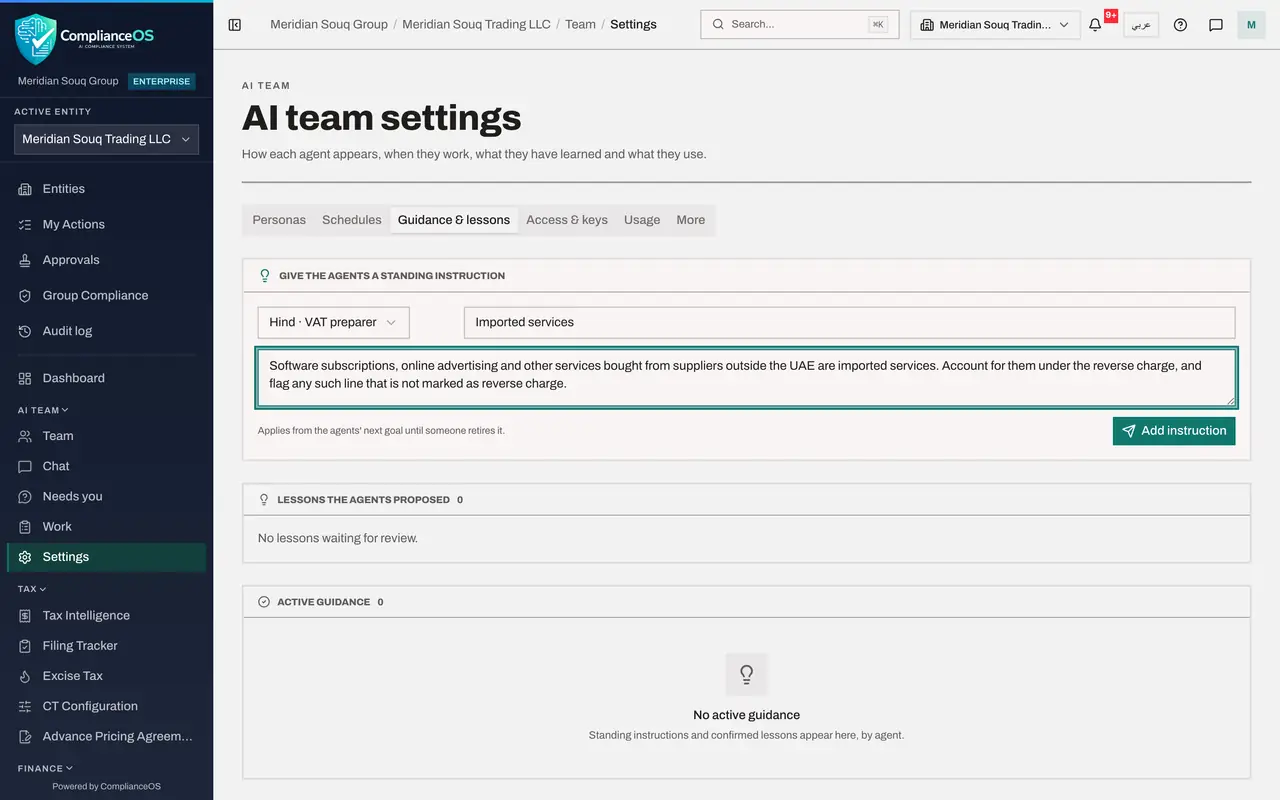
You are in AI team settings. Select the tab Guidance & lessons. At the top is Give the agents a standing instruction, then Lessons the agents proposed, then Active guidance.
- Select Guidance & lessons
- 2
Choose the agent
Open the list that reads All agents, and choose Hind, VAT preparer. An instruction for All agents would apply to every agent.
- Select Agent
- Choose Hind · VAT preparer
- 3
Type the topic and the instruction
In Topic, type Imported services. In the instruction box, type: Software subscriptions, online advertising and other services bought from suppliers outside the UAE are imported services. Account for them under the reverse charge, and flag any such line that is not marked as reverse charge.
- Type Topic:
Imported services - Type Instruction:
Software subscriptions, online advertising and other services bought f…
- Type Topic:
- 4
Select Add instruction
Select Add instruction. A message confirms Instruction added. The line beside the button says it applies from the agents' next goal until someone retires it.
- Select Add instruction
- 5
Find it under Active guidance
Scroll to Active guidance. Under Hind, your instruction is listed with its topic, Imported services, and its text, word for word as you wrote it, marked From a person, with your name as the source. Retire beside it stops the agents following it, after you confirm.
- 6
See Lessons the agents proposed
Lessons the agents proposed is empty here. When an agent learns something from its work and suggests keeping it, it appears in this list with the agent's name and where it learned it. Nothing there applies until a person selects Confirm; Retire discards it. Proposed lessons also wait under Needs you.
How to check it worked
Under Active guidance, Hind's list shows your instruction on imported services, marked From a person.
Common mistakes
- Writing guidance that contradicts the law or your own procedures. The agents follow it on every piece of work; keep it short, specific and right.
- Confirming a proposed lesson without reading its source. A wrong lesson would be repeated on every later piece of work.
- Using guidance to grant an agent more than its permissions allow. Guidance changes how an agent works, never what it may do.
Check your understanding
1. From when does a standing instruction apply?
- A.Immediately, to the work already running
- B.From the agents' next piece of work, until someone retires it
- C.Only after a restart
- D.Only on the 1st of the month
Show answer
Answer: B. From the agents' next piece of work, until someone retires it
The help under the form says it: applies from the agents' next goal until someone retires it.
2. An agent proposes a lesson. When does it apply?
- A.At once
- B.Only after a person confirms it
- C.After a week
- D.Never
Show answer
Answer: B. Only after a person confirms it
Proposed lessons wait under Lessons the agents proposed until a person confirms or retires them.