Lesson 6 of 19
Complete a step you were given
What you will be able to do
This lesson is for the finance manager. The tax manager gave you one step of her plan for the third-quarter VAT return: confirm that every supplier bill of the quarter has been entered. You will find the step under Needs you, open the conversation it belongs to, add a note for the agents, and mark the step done, so that Hind, the VAT preparer, can start.
Before you start
- You are signed in as the finance manager of Meridian Souq Trading LLC.
- Lesson 5 is done: the tax manager gave you the first step of her plan.
- You have checked the quarter's supplier bills against Tax Intelligence.
Steps
- 1
Open Needs you
In the left menu, under AI team, choose Needs you. It lists what the AI team is waiting on you for. Under Your steps in a plan is Step 1: Rashid Karim, confirm all Q3 supplier bills are entered. A line says which request it is part of: the tax manager's task to prepare the third-quarter VAT return.
- Select Needs you1
- 2
Select Open the conversation
Select Open the conversation under the step. The tax manager's conversation opens. Under it, a lock says that Fatima Noor shared this conversation with you because a step of the plan is yours. You can read the task and the plan, but only your own step is yours to complete.
- Select Open the conversation
- 3
Type a note for the agents
In step 1 of the plan, select the note box and write what you checked: Checked the Q3 supplier bills in the document library against Tax Intelligence: all of them are entered.
- Type Add a note for the agents (optional) — what you did, anything they sho:
Checked the Q3 supplier bills in the document library against Tax Inte…
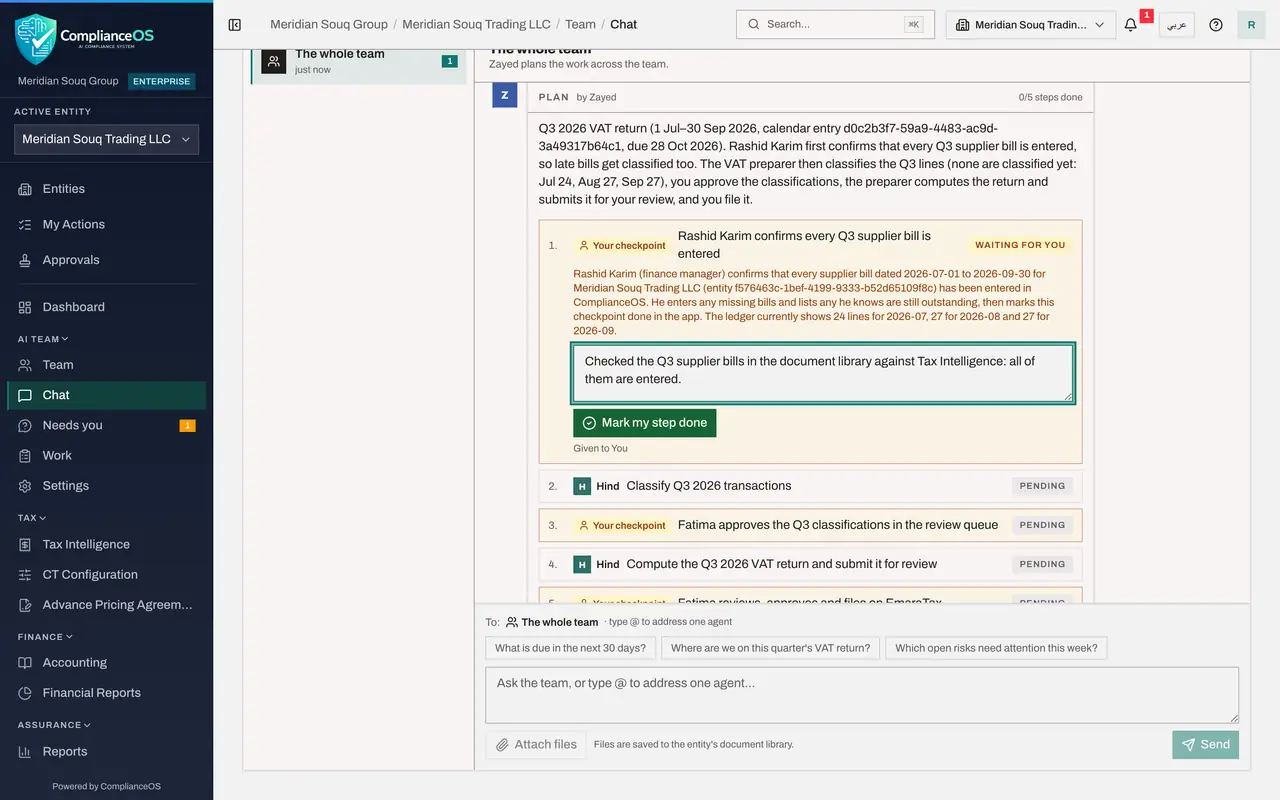
- Type Add a note for the agents (optional) — what you did, anything they sho:
- 4
Select Mark my step done
Select Mark my step done. A message confirms Step marked done, the agents will carry on. The step now reads Done, with your sign-in e-mail and the time, and your note under it.
- Select Mark my step done
- 5
See the plan carry on
A few seconds later, step 2 changes to In progress: Hind, the VAT preparer, has started classifying the quarter's transactions. You have done your part; the tax manager follows the rest of the plan.
How to check it worked
The first step of the plan says Done, with your name and the time, and the next step, Hind's classification, has started.
Common mistakes
- Marking a step done before doing it. The agents carry on at once and build on your confirmation.
- Leaving the note empty. A short note of what you checked helps the agents and anyone who reads the plan later.
Check your understanding
1. Why can the finance manager see the tax manager's private conversation?
- A.Every finance manager sees every conversation
- B.She gave him a step of its plan, which shares that conversation with him
- C.He is an administrator
- D.The agents shared it
Show answer
Answer: B. She gave him a step of its plan, which shares that conversation with him
The note on the conversation says so: it was shared with you because a step of the plan is yours.
2. What happens when you select Mark my step done?
- A.The return is filed
- B.The step is recorded as done by you, and the agents carry on with the next step
- C.The plan is approved
- D.Nothing until the tax manager confirms
Show answer
Answer: B. The step is recorded as done by you, and the agents carry on with the next step
A message confirms it: step marked done, the agents will carry on.